Drag to snap, let go, done.
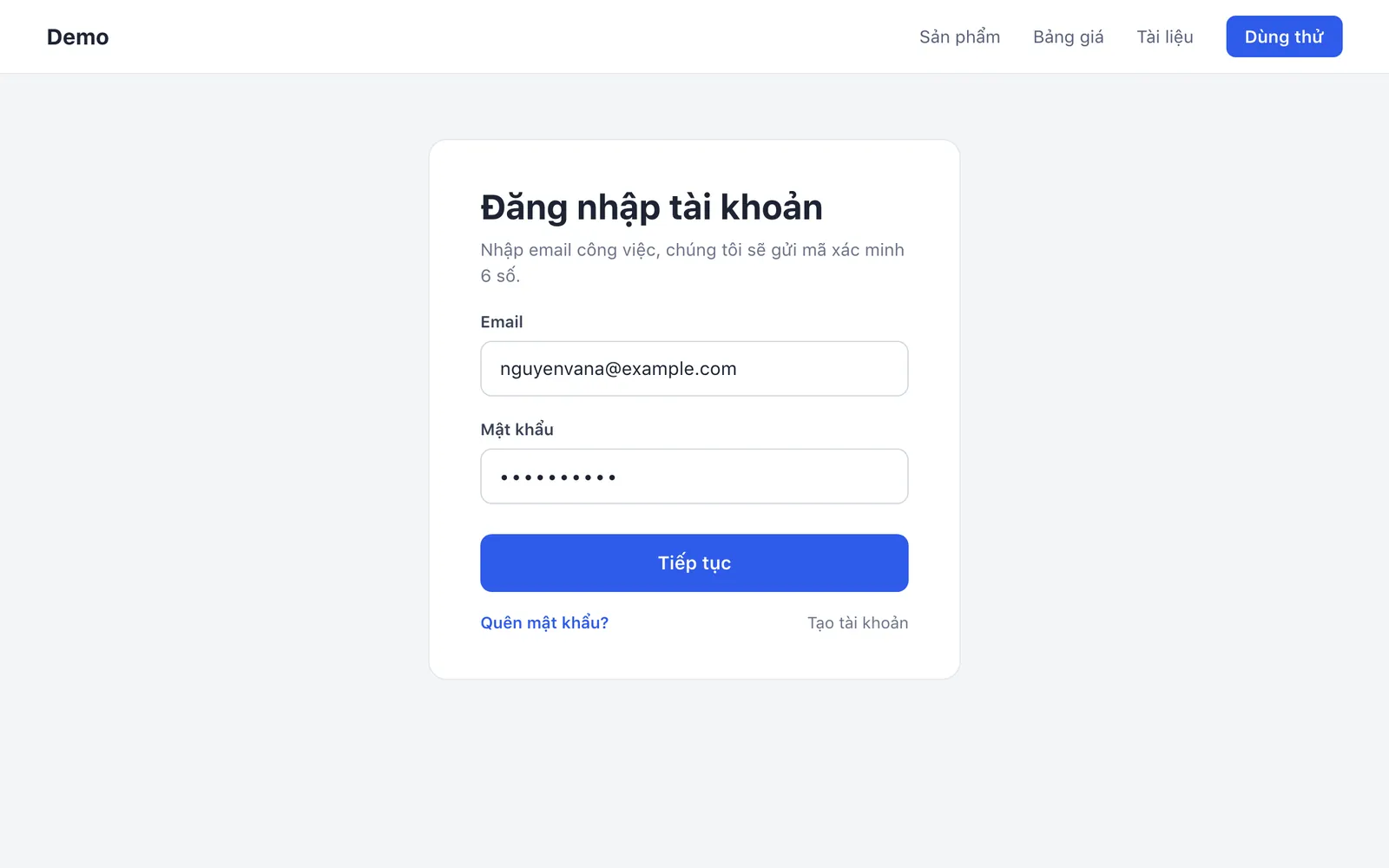 916 × 934
Drag over an area; the frame shows its size in pixels
Shotly is a free screenshot and screen-recording app for macOS. Let go and the capture opens at your pointer: copy it, save it, read its text or mark it up with one key.
Press ⌘⇧4 and drag.
The screen holds still in about 40 ms so you can frame it. Hold Space to move the frame.
Let go; it opens right there.
The preview opens next to your pointer, not in a corner of the screen.
Return to mark it up.
The editor opens with your capture; every tool is one key.
⌘C, then paste.
Or ⌘S to save, T to copy its text, P to pin it above every window.
Type any key on this page, the way you would in the editor, or pick one below.
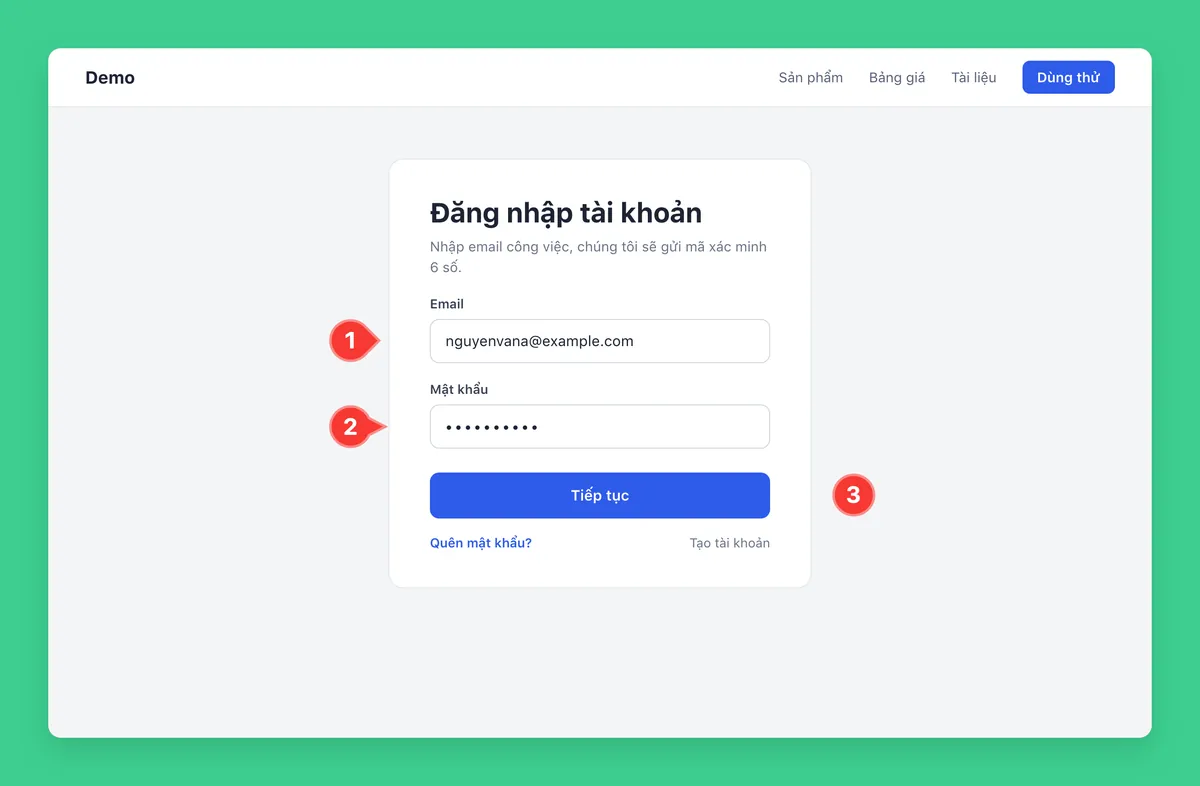
Numbered badge
Number the steps 1, 2, 3; the count goes up by itself. Drag the tip to aim the pointer, and the slider to resize.
Styles and options
- Circle
- Teardrop with a pointer
- Callout with a pointer
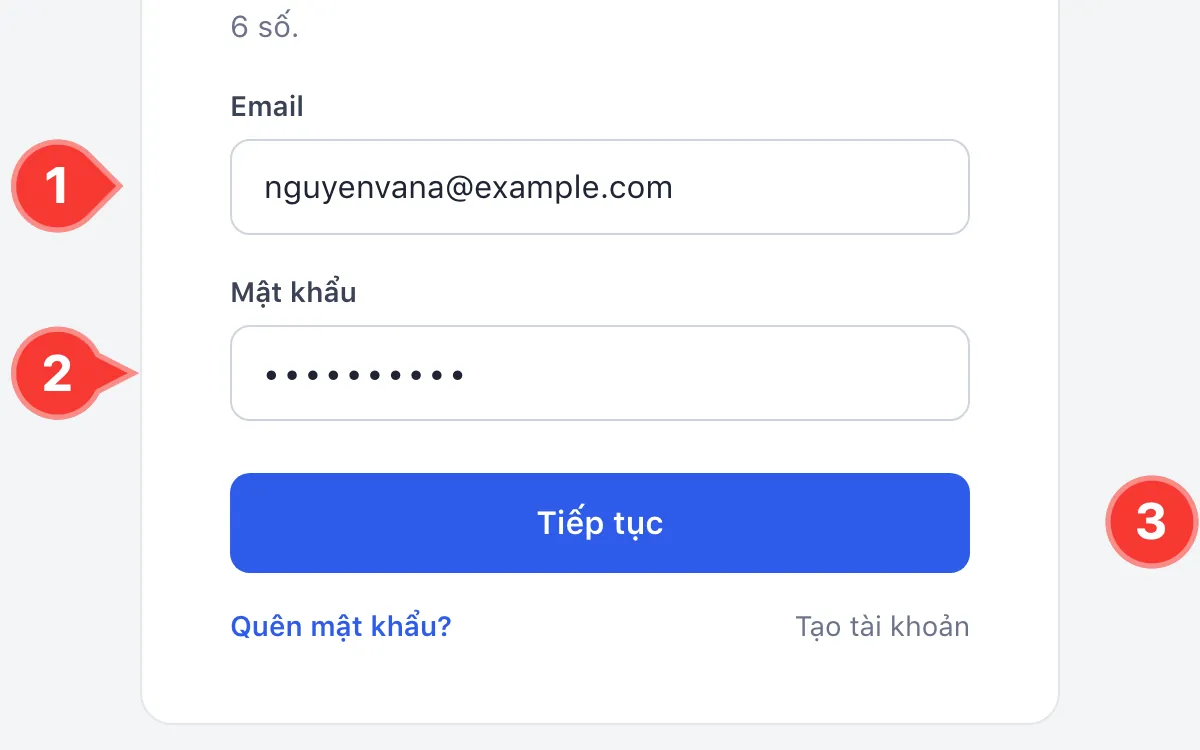
The editor also has: Z to zoom at the pointer (up to 3,200%), ⌘1 to fit, ⌘0 for actual size, Tab to copy the colour under the pointer, ⇧Tab for the nearby text colour, C to crop, W for a watermark, I for capture details, P to pin, ⌘Z to undo.
 1115 × 772
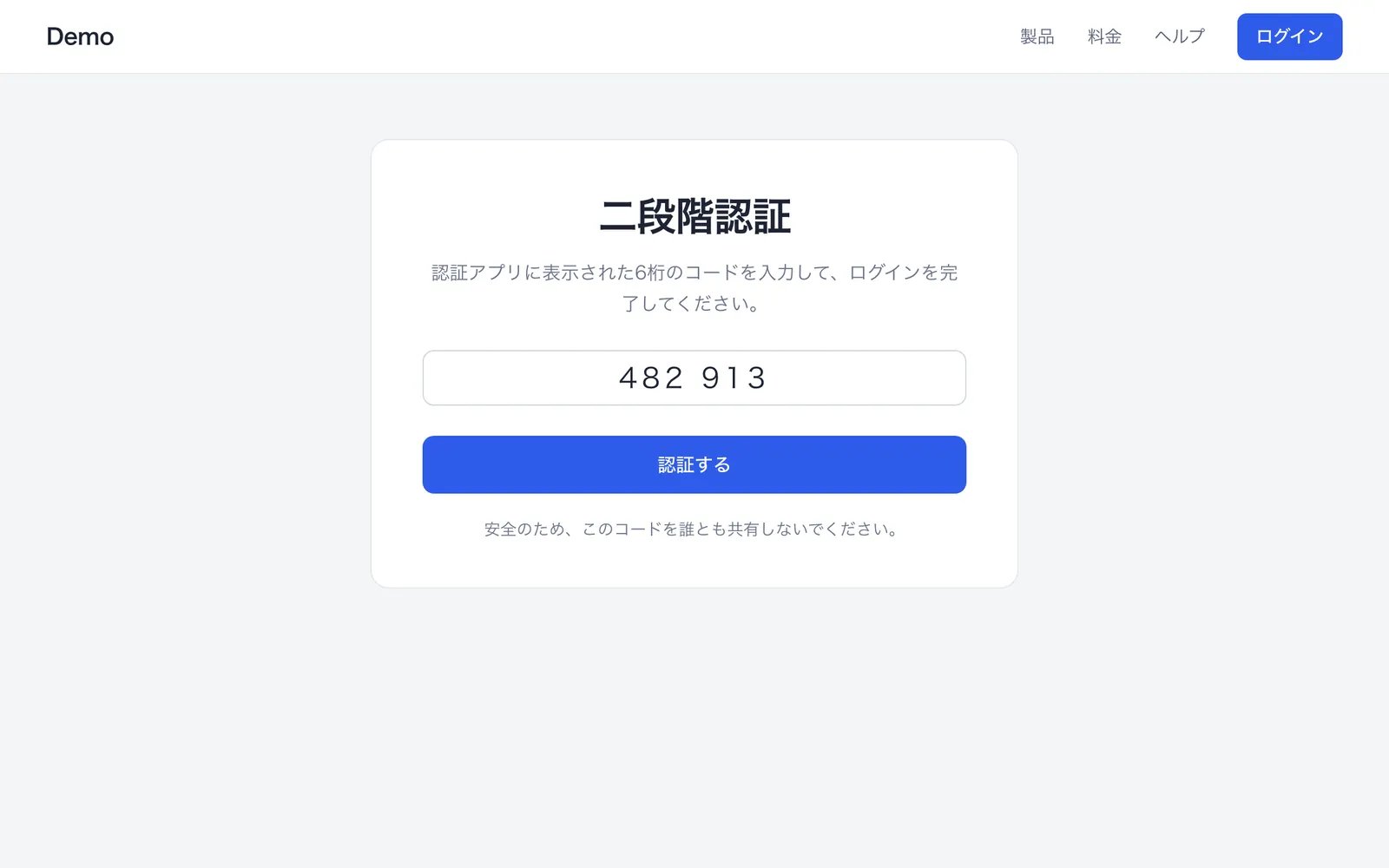
二段階認証 認証アプリに表示された6桁のコードを入力して、ログインを完 了してください。 482 913 認証する 安全のため、このコードを誰とも共有しないでください。
Two-step verification Enter the 6-digit code shown in your authenticator app to finish signing in. 482 913 Verify For your safety, don't share this code with anyone.
- ⌘⇧OCapture an area and copy its text
- TCopy the text of the capture you just took, from the preview
- ReadsEnglish, Vietnamese, Japanese, Korean, Chinese, Thai and about 20 more languages
- TranslatesInto English, Vietnamese, Japanese, Korean, Simplified and Traditional Chinese, French, German, Spanish
Copy text you can't select.
Press ⌘⇧O and drag over anything with words in it: a picture, a paused video, a locked PDF, another app's interface. The text lands on your clipboard. Shotly reads it on your Mac and works out the language by itself; QR codes and barcodes in the area are read too.
With translation on, a window opens in two columns: the original on the left, the translation on the right, each with a copy button. Apple Translation does it on your Mac, from macOS 15.
Six ways to capture, one key each.
Shortcuts
| Capture | An area | ⌘⇧4 |
|---|---|---|
| The whole screen | ⌘⇧3 | |
| One window | ⌘⇧6 | |
| Record the screen as MP4 | ⌘⇧2 | |
| Copy the text in an area | ⌘⇧O | |
| Pick a colour on screen | ⌘⇧C | |
| Preview | Open in the editor | ↩ |
| Copy the image | ⌘C | |
| Save as a file | ⌘S | |
| Copy the text in it | T | |
| Pin above every window | P | |
| Collage of 2–4 captures | G | |
| Delete, after asking | ⌘⌫ | |
| Close | Esc |
Change every capture key in Settings → Hotkeys. A 3, 5 or 10-second self-timer helps with menus that close on click.
Set it once in Settings.
Copy captures to the clipboard.
Paste into Slack, Mail or Figma the moment you let go.
Save captures to my folder.
PNG or JPEG, named by the time it was taken. Turn it off and nothing is written to disk.
Hide emails and card numbers.
Smart Blur reads the image on your Mac and blurs sensitive details before you share.
Translate the text I scan.
The original and the translation side by side, translated on your Mac into 9 languages, from macOS 15.
Keep Shotly up to date.
Checks every 6 hours, installs with one click, keeps your permissions.
Shotly costs $0,
for good.
No account, no subscription, no ads. Open source under the BSD 3-Clause licence, and every future update is free too.
Questions
Is Shotly really free?
Yes. No account, no trial, no paid tier. If it helps you, you can buy the author a coffee at the end of this page.
Why does macOS say it can't verify the developer?
Shotly is signed but not notarised by Apple. The first time, right-click Shotly in Applications and choose Open. Updates installed from the app don't ask again.
Which permissions does it need?
Screen Recording, to capture the screen, and Accessibility, to take over ⌘⇧3 and ⌘⇧4. From 2.0 on, both survive every update.
Does anything leave my Mac?
Never your captures, their text or your clipboard. Shotly asks GitHub for updates and counts which features are used, anonymously; you can turn that off in Settings.
Which Macs does it run on?
Apple Silicon Macs on macOS 14 Sonoma or later. Translating recognised text needs macOS 15.
Which languages can it read?
The macOS text recogniser reads English, Vietnamese, Japanese, Korean, Chinese, Thai and many more, and detects the language by itself. Translation has 9 target languages and needs macOS 15.
Where is the source code?
On GitHub at anhnm/shotly, under the BSD 3-Clause licence.