Download Shotly

Releases.

Every Shotly release, newest first. Each is a DMG for Apple Silicon Macs on macOS 14 or later. From 2.0 on, Shotly updates itself; the files are also on GitHub.

2.2.2

Build 40 · Oct 22, 2026 · latest

Measure with a key, then fine-tune the ruler

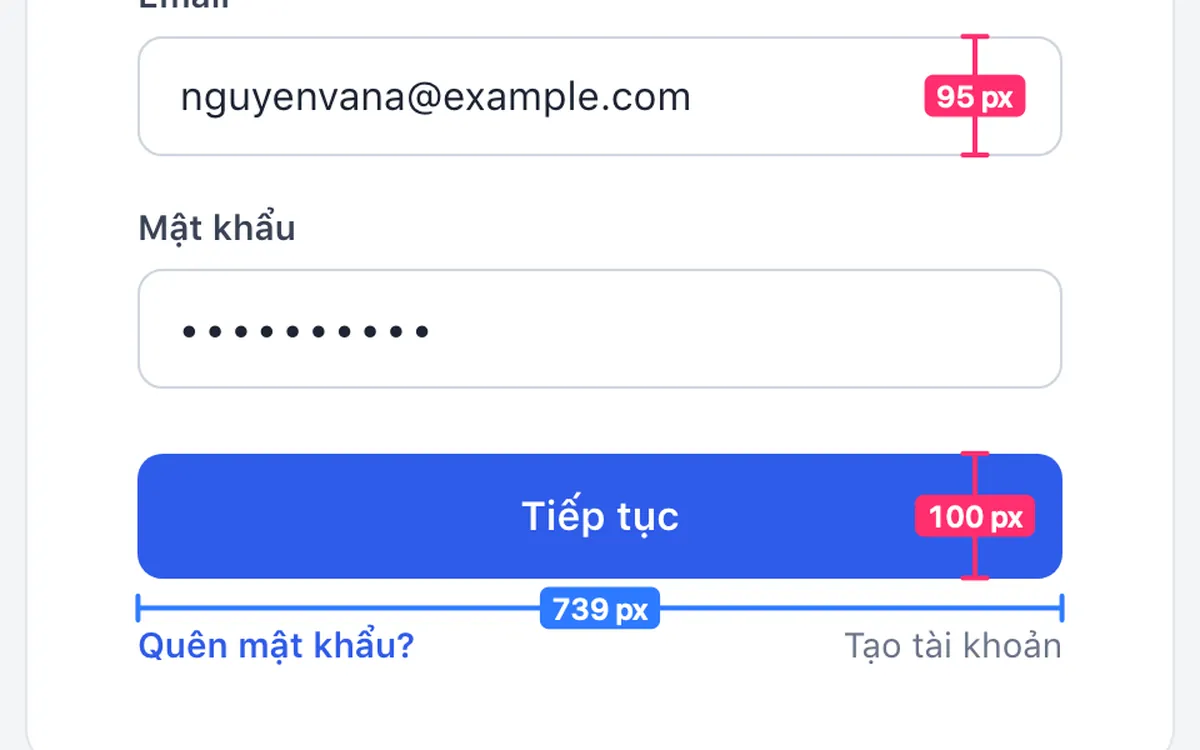
  • Hold 1 to measure across and 2 to measure down, to the nearest edge under the pointer; click to place the ruler. The arrow keys work too.
  • Without a key held, click a ruler to recolour it or drag either end to move it. Rulers are easier to click.
Download 2.2.2
Sample sign-in form with rulers on the width of the Continue button and the height of the fields

2.2.1

Build 39 · Oct 22, 2026

A new icon and wordmark

  • New app icon, menu bar icon and wordmark in the editor.
  • The editor's Metadata button now works when captures are not saved to History, and for images opened from Finder.
Download 2.2.1

2.2

Build 38 · Oct 22, 2026

A two-part magnifier, and styles for ellipses and arrows

  • The magnifier has a small circle on the detail and a separate lens showing it enlarged. Drag each on its own; drag the dot on the lens edge to zoom.
  • Ellipses can be hand-drawn, outlined, highlighted or filled.
  • Arrows can be outlined, bold or a thin line, with an optional head at both ends.
  • Numbered badges are sized with a slider.
Download 2.2
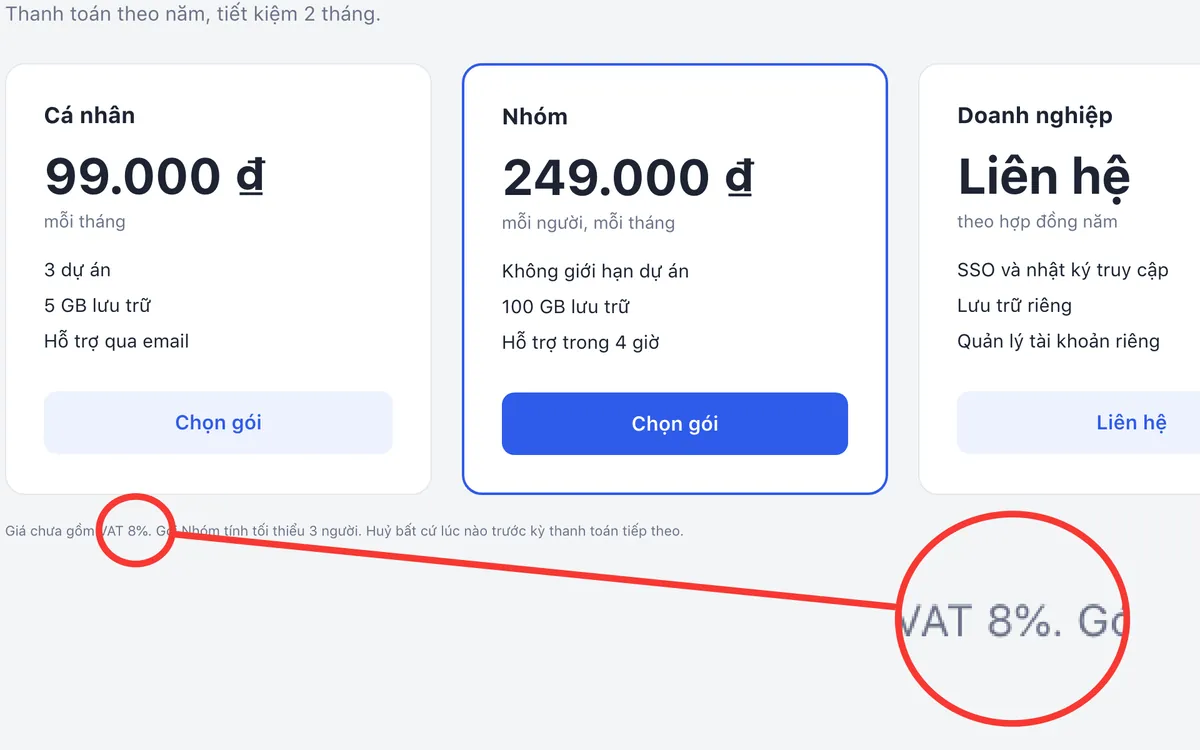
Sample pricing page with the magnifier enlarging the small print ‘VAT 8%’

2.1

Build 37 · Oct 22, 2026

Pointer badges, a magnifier, and a download five times smaller

  • Numbered badges come as a circle, a teardrop or a callout; drag the tip to aim the pointer.
  • New magnifier tool on the X key.
  • The ruler finds the edges under the pointer and measures them for you.
  • The download is about 2 MB instead of 11 MB. The bundled macOS wallpapers are gone; colours, gradients and your own pictures remain.
Download 2.1
Sample sign-in form with three badges: a teardrop and a callout pointing at the fields, a circle beside the Continue button

2.0.2

Build 36 · Oct 22, 2026

Tidier shortcuts in the menu bar

  • Shortcuts in the menu bar panel are plain text again, in the usual macOS order (⇧⌘4).
Download 2.0.2

2.0.1

Build 35 · Oct 22, 2026

Shortcuts and an update check in the menu bar

  • The menu bar panel shows each action's shortcut and the current version, with Check for Updates.
Download 2.0.1

2.0

Build 34 · Oct 21, 2026

A faster editor, a preview at your pointer, and updates that install themselves

  • Zoom and pan in the editor, from fit-to-window down to single pixels (Z, ⌘0, ⌘1, pinch, Space-drag).
  • The colour under the pointer is always in the toolbar: Tab copies it, Shift-Tab copies the nearby text colour.
  • Flat one-row toolbar with tooltips and a single key for every tool; stroke-width slider and rounded, square, dashed or filled rectangles.
  • Resize the image from the toolbar.
  • The capture preview now opens next to your pointer, with Edit, Copy, Save, Copy text, Pin and Collage, each with a shortcut.
  • Region capture is ready in about 40 ms and no longer loses the first drag on macOS 27.
  • Redesigned Settings with tabs for General, Hotkeys, Capture, Backdrop, Recording, Watermark, History and About; launch at login.
  • Shotly now checks for updates and installs them itself, keeping your permissions.
Download 2.0
A sign-in form capture set on a green backdrop with padding and rounded corners

1.0.32

Build 33 · Oct 8, 2026

Reliable window capture and smoother macOS 27 performance

  • Fixed Capture Window showing a dark overlay without allowing any window to be selected.
  • Added a customisable Capture Window shortcut, ⌘⇧6 by default.
  • Showed the active Capture Window shortcut in the menu bar panel.
  • Improved hotkey response and reduced capture stutter on macOS 27.
Download 1.0.32

1.0.31

Build 32 · Aug 3, 2026

Copy the original text in the OCR translation window

  • Added a Copy original button to the original-text panel of the OCR Translation window.
Download 1.0.31

1.0.30

Build 31 · Aug 3, 2026

OCR translation and a more flexible save workflow

  • Translate OCR results with automatic source-language detection, side-by-side text and one-click copy.
  • Choose the file name and folder when saving from the preview or the editor.
  • New Automatically save captures setting; when off, captures stay on the clipboard until you save them.
  • Customise the editor's Copy and Save shortcuts.
  • Shotly no longer asks for your Mac login password.
Download 1.0.30

1.0.29

Jul 22, 2026

A rebuilt editor with measurement, redaction and collage tools

  • Measure annotations that snap horizontally or vertically, in pixels.
  • Adjustable blur and mosaic, and Smart Blur detection.
  • Collage builder with vertical, horizontal and grid layouts.
  • Watermark presets and a capture-details panel.
Download 1.0.29